Order Tracking for Receivers
Receivers get real-time tracking information through email or SMS notifications with a direct link to track their delivery. No app download required - everything works directly in your web browser.
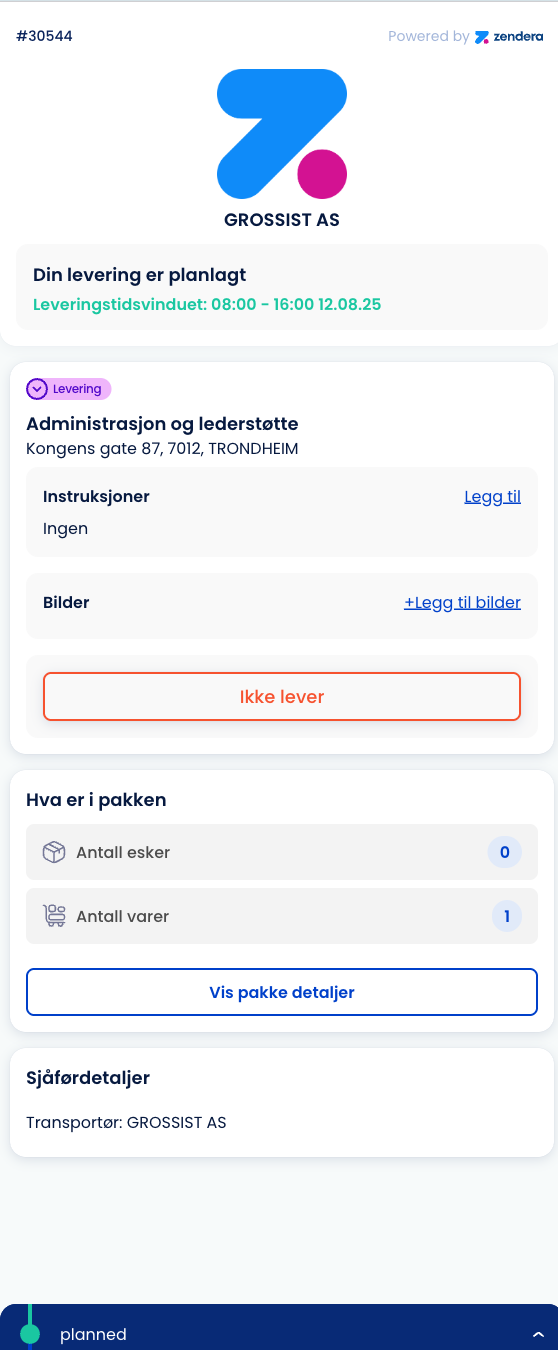
How You Receive Tracking Information
Email or SMS Notifications
- Automatic notifications sent when your order is dispatched
- Contains a direct tracking link - no login required
- Delivery time window (e.g., “08:00 - 16:00 12.08.25”)
- Driver contact info when they’re on route
What the Link Shows You
- Real-time order status (Planned → Dispatched → In Transit → Delivered)
- Delivery address and contact details
- Package contents and quantities
- Special delivery instructions
- Estimated arrival updates
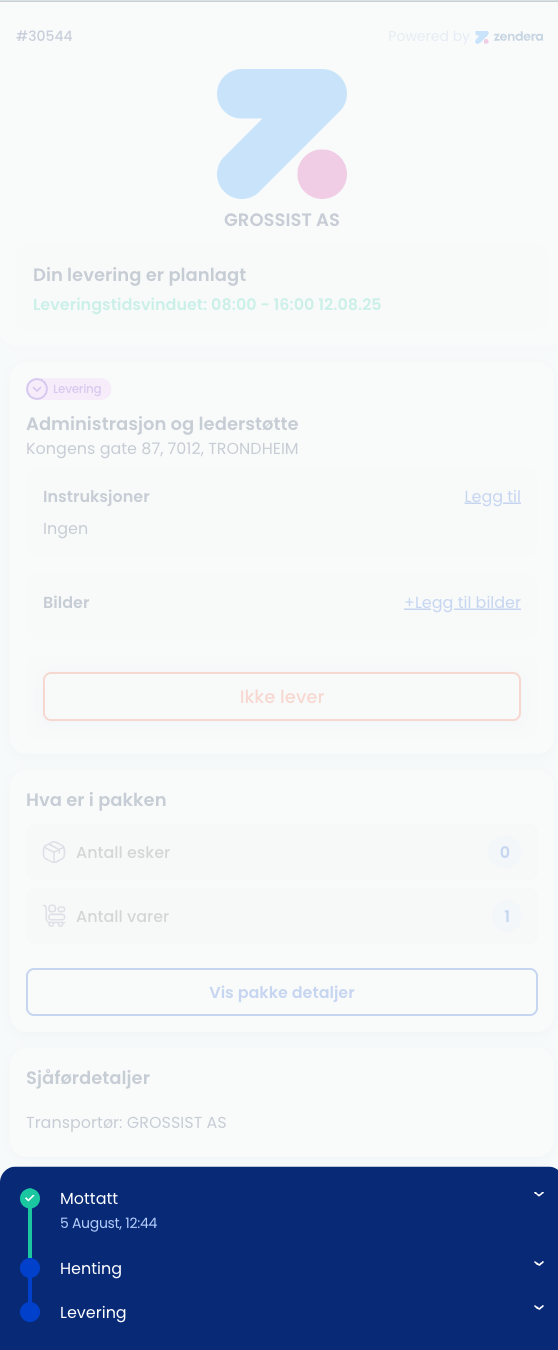
Track Your Delivery Progress
Status Updates
- Planned - Order confirmed and scheduled
- Dispatched - Driver has the package and is en route
- In Transit - On the way to your location
- Delivered - Package delivered and confirmed
Real-Time Information
- Current driver location (when sharing is enabled)
- Updated delivery estimates based on traffic and route
- Package details - what’s being delivered and how many items
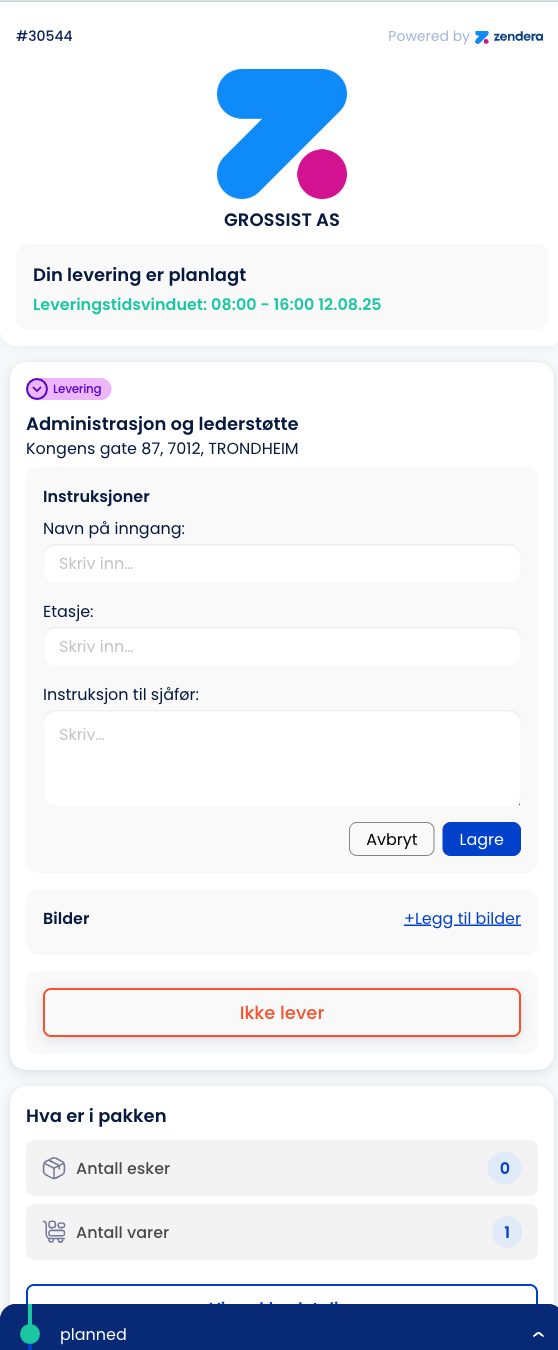
Add Delivery Instructions
Before Delivery Use the tracking page to provide:
- Entry instructions (gate codes, building access)
- Floor/apartment details
- Special delivery notes
- Preferred contact method
During Delivery
- Driver will follow your instructions
- You can be contacted directly if needed
- Real-time updates if delays occur
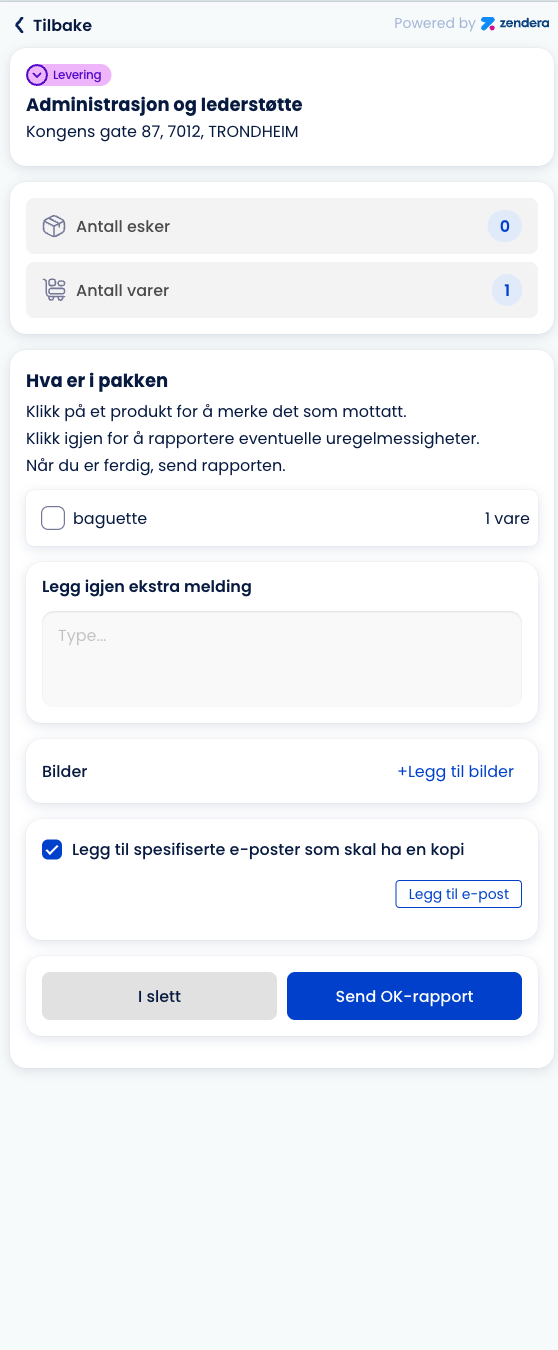
Verify Package & Report Issues
Upon Delivery When your package arrives, you can:
- Verify package contents against the delivery list
- Confirm quantities received
- Report any issues immediately
What You Can Report
- Received in good condition - Everything perfect
- Damage - Package or contents damaged
- Wrong quantity - Missing or extra items
- Not delivered - Package not received as expected
Add-on Feature
Enhanced deviation reporting is an add-on feature that provides:
Advanced Issue Reporting
- Photo documentation of damages or issues
- Detailed descriptions with multiple issue categories
- Automatic notifications to sender and logistics team
- Follow-up tracking of reported issues
Business Benefits
- Quality control - Track delivery issues and patterns
- Customer service - Immediate issue awareness and response
- Documentation - Photo evidence for insurance or dispute resolution
- Process improvement - Identify recurring delivery challenges
Note: Standard tracking includes basic reporting. Enhanced deviation reporting with photos and detailed categorization requires the add-on service.
Key Benefits for Receivers
No Technical Requirements
- No app download needed
- Works on any device with internet access
- Simple web interface accessible from email/SMS links
Real-Time Communication
- Direct driver contact when needed
- Live status updates throughout delivery process
- Proactive notifications about delays or changes
Quality Assurance
- Immediate issue reporting at delivery time
- Digital confirmation of successful deliveries
- Clear communication with delivery team
Convenience Features
- Flexible delivery instructions can be added anytime
- Time window notifications help you plan your day
- Multiple contact methods (email, SMS, phone)
How It Works - Step by Step
- You receive an email or SMS with tracking link when your order is dispatched
- Click the link to see real-time delivery progress and details
- Add instructions if needed (access codes, delivery preferences)
- Track progress as the driver picks up and heads to your location
- Receive delivery and verify contents using the tracking interface
- Report any issues immediately if something isn’t right
- Confirm completion when everything is delivered successfully
That’s it! The entire process is designed to keep you informed and give you control over your delivery experience.
Related Information
Related Resources
For Dispatchers Managing Your Orders:
- Order Control - How dispatchers manage your deliveries
- Customer Management - How your contact info is managed
- Communication System - How notifications are sent to you
For Drivers Making Your Deliveries:
- Driver Quick Start - How drivers use the app to complete your delivery
- Driver App Guide - Complete driver workflow including delivery proof
Technical Resources:
- API Documentation - For developers integrating tracking functionality
- System Status - Check tracking system availability
- Help & Support - Troubleshooting and common questions