Cargo Carriers
Cargo carriers (also called Load Carriers) are reusable pieces of equipment that travel with goods — pallets, cages, roll containers, dollies. Zendera tracks how many carriers leave one location and arrive at another so you can balance the count with your customers and recover what’s owed.
This is separate from Products (the goods on the pallet) and from Vehicles (the truck the pallet rides in).
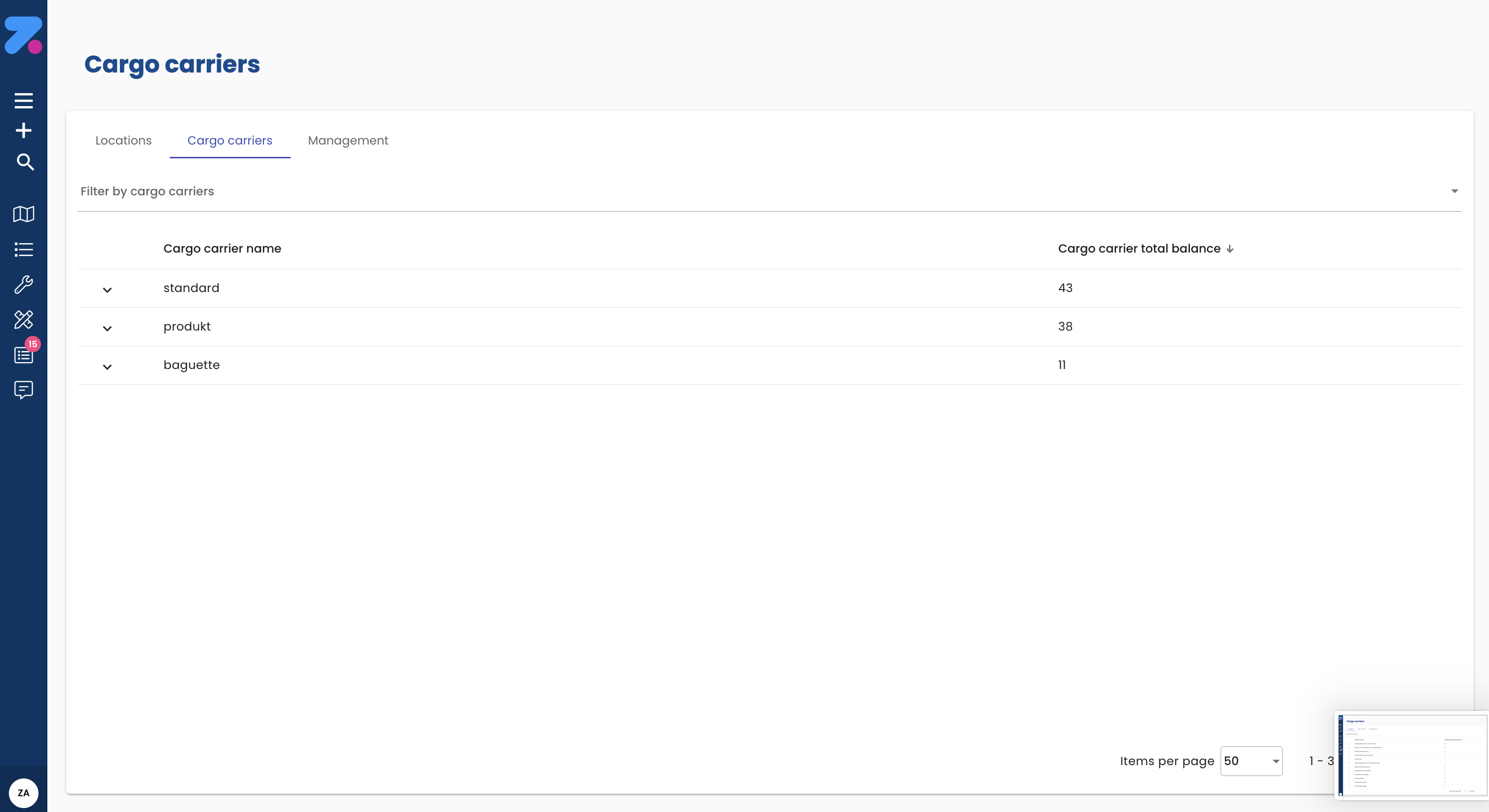
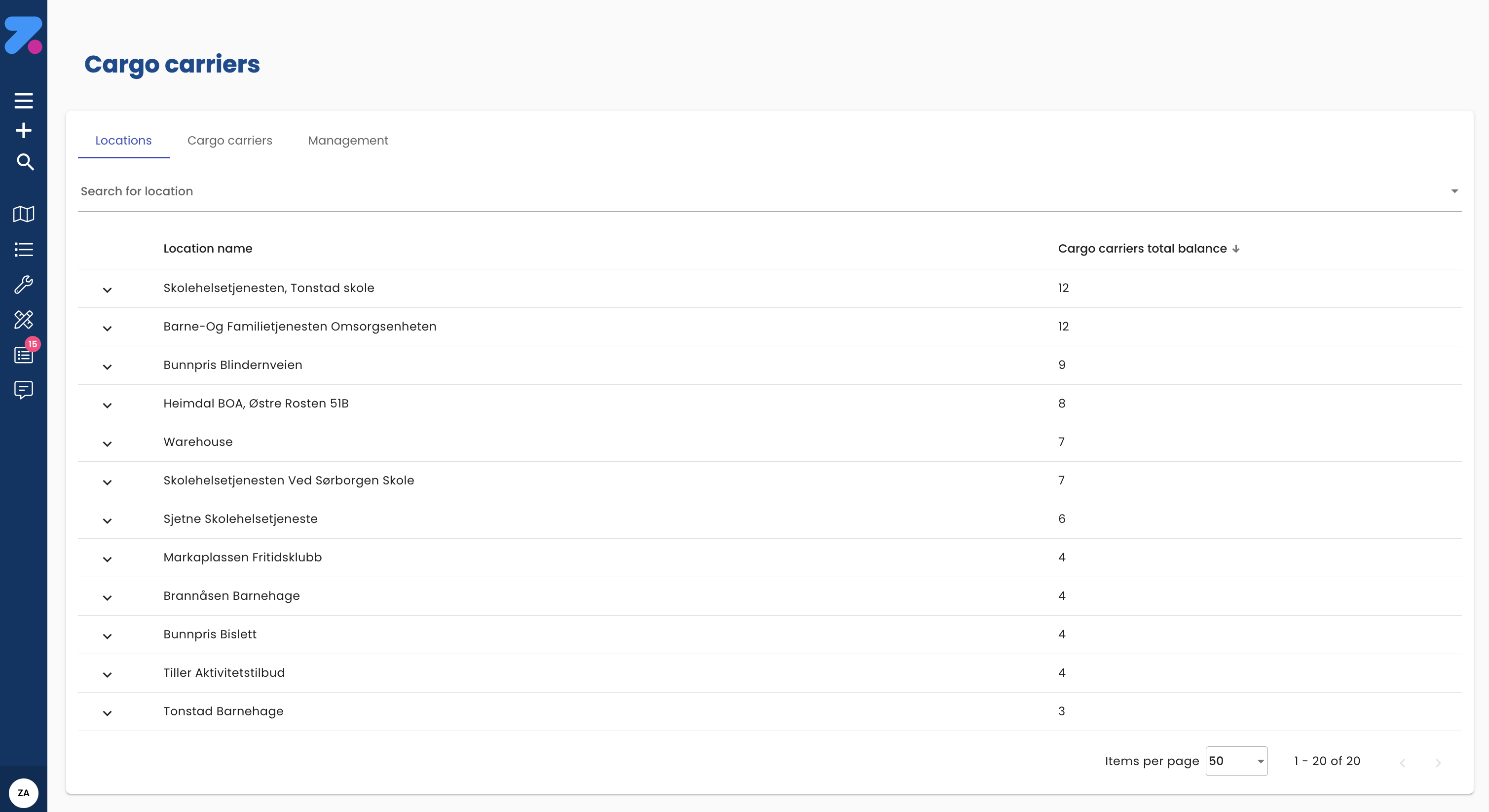
How to open Cargo carriers
Click Cargo carriers in the left sidebar.
How to add a carrier type
- Open Cargo carriers.
- Click Add carrier.
- Fill in:
- Name (e.g. “Euro pallet”, “Plastic crate”, “Roll cage”).
- Code (your internal code, used in reports and on orders).
- Default weight / volume (optional — used by capacity if you track empty carriers separately).
- Save.
How to record carriers on an order
- Open the order.
- Open the Cargo carriers card.
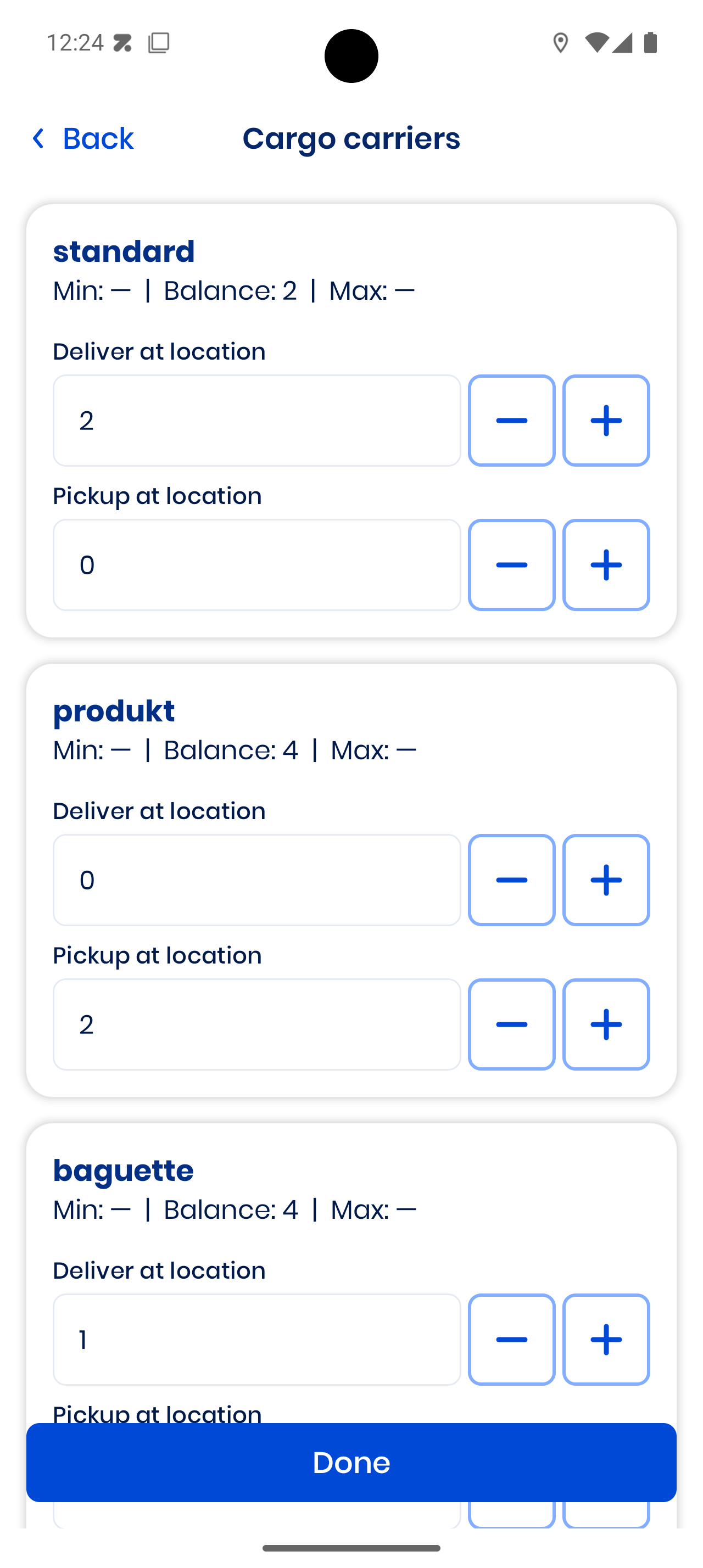
- For each carrier type, enter:
- Picked up — carriers the driver collects at pickup (typically empty carriers being returned).
- Delivered — carriers the driver leaves at delivery (typically full ones going out).
- Save.
The driver confirms the actual counts in the mobile app at the time of the stop.
Per-location limits and driver alerts (add-on)
Add-on Feature
With the load-carrier balance add-on you can:
- Register in/out movements at locations
- Set limits per location
- Notify drivers about required actions on pickup, delivery, or both
You can set a limit per location so the system knows the agreed carrier count there. When a stop would breach that limit — or when the location requires an action — the driver gets an alert in the mobile app prompting them to register the correct in/out movement.
How to read the carrier balance
Per customer or per location, the carrier balance is delivered − picked-up over a period. A positive balance means the customer owes you that many carriers; a negative means you owe them.
Worked example. You delivered 30 pallets to Acme and picked 22 back up over the month. Balance = 30 − 22 = +8. Acme is holding 8 of your pallets.
Balances live in the carrier-specific reports under Reports. Typical questions you can answer:
- “How many euro pallets is Acme holding right now?”
- “How many cages have we lost this quarter?”
- “Which customers have the largest outstanding balances?”
How to edit or deactivate a carrier type
- Open the carrier.
- Click the pencil icon to edit, or Deactivate to remove from the active list.
- Save.
Deactivated carrier types are hidden from new orders but remain in historical records and reports.