Products
Products is the catalogue of items you transport — a freezer, a pallet of paint, a parcel, etc. Adding products to an order lets the optimizer plan capacity correctly and lets billing price the order against the right rules.
You don’t have to use the catalogue: orders accept ad-hoc product lines too. But maintaining a catalogue means consistent units, weights, and pricing across customers.
How to open Products
Click Products in the left sidebar.
How to add a product
- Open Products.
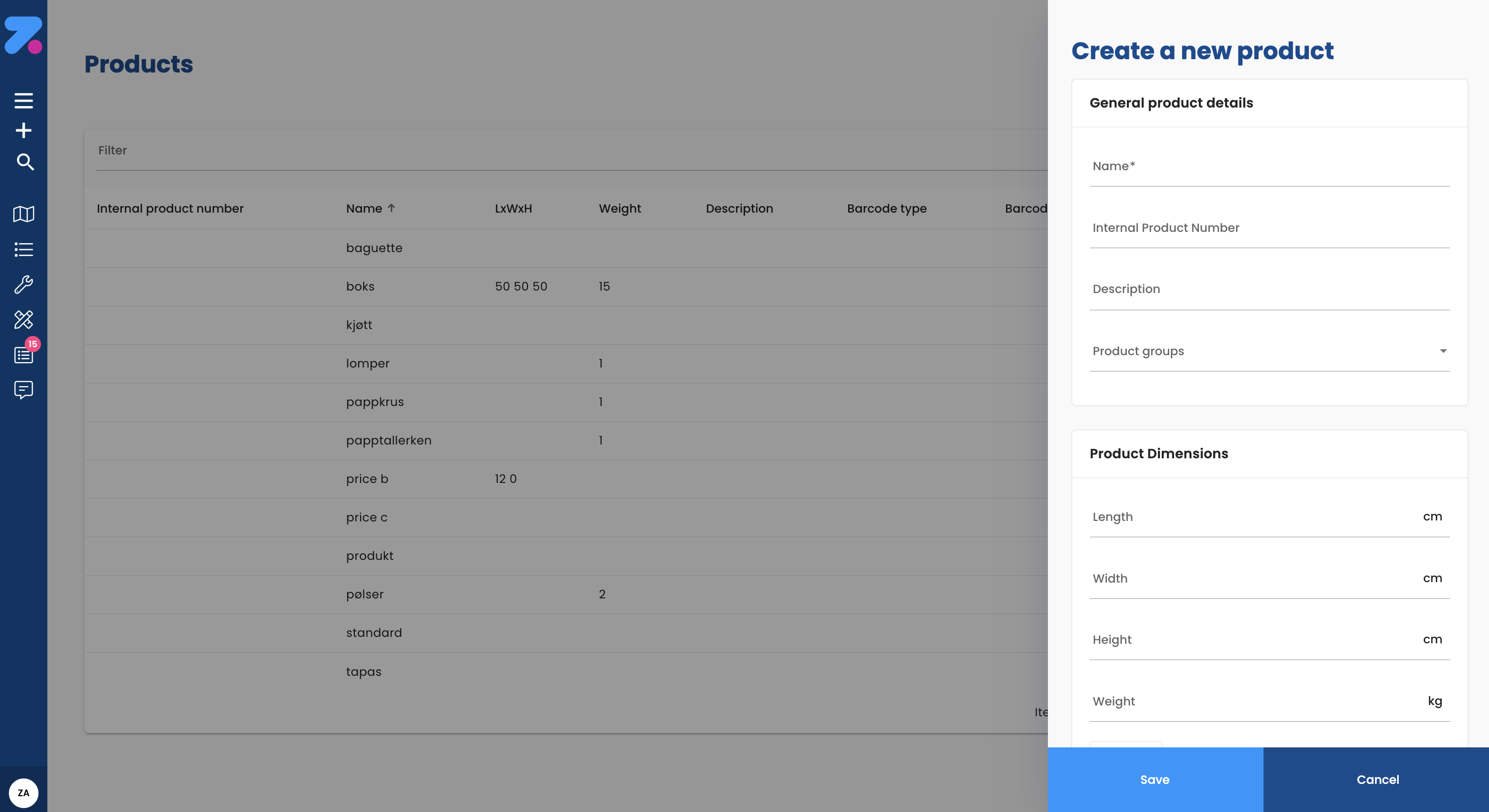
- Click Add product (top right).
- Fill in:
- Name.
- Default unit (pcs, pallets, kg, m³, etc.).
- Default weight (per unit, in kg).
- Default volume (per unit, in m³).
- Pallet positions (optional — how much pallet space one unit takes).
- SKU / external code (optional — Stock Keeping Unit, the product code from your inventory or ERP system, used for matching).
- Save.
When this product is added to an order, Zendera fills in the defaults — you can still override them per order if needed.
How products feed into capacity
The optimizer adds up the weight, volume, and pallet positions of every product on every stop on a route, and checks them against the vehicle’s capacity. If your product weights are wrong, your routes will be wrong.
How products feed into pricing
Pricing rules can reference products — for example, “0.50 NOK per kg of refrigerated goods” or “fixed price per pallet to zone X”. Set up rules in Settings → Pricing. The product’s defaults (weight, volume, unit) are what those rules calculate against.
Atoms — parent and child packaging
Feature flag: Atoms must be enabled for your organization.
If your org has the atoms feature, products can be nested in a parent / child hierarchy — a pallet that contains parcels, a cage that contains crates. The driver scans the parent, and the children come along automatically.
- Add the parent product (e.g. “Half pallet”).
- Add the child product (e.g. “Parcel S”).
- On an order, drag children under their parent in the Products card.
How to edit a product
- Open the product.
- Click the pencil icon in the header.
- Update name, units, defaults.
- Save.
Editing a product changes the defaults used on future orders. Existing orders keep the values that were on them at the time.
Automatic product creation via integrations
In integration-driven setups, products are often created automatically when orders arrive — an ERP or e-commerce system supplies the product data, or the API creates products on the fly. Manual product creation remains useful for custom or one-off items, products not in your main system, and testing.
How to import products in bulk
For initial setup or large catalogues:
- Products → Import.
- Download the template, fill it in.
- Upload. Review the preview, fix issues.
- Confirm.
How to deactivate or delete a product
Permission: Admin only.
- Open the product.
- Click Deactivate (preferred) or Delete.
- Confirm.
Deactivated products can’t be added to new orders but stay in the catalogue for reporting. Deleted products are permanent and may be blocked if used by historical orders.
What’s next
- To use products on orders, see Creating orders and Order Control.
- For pricing rules that reference products, see Settings → Pricing.
- For how products affect vehicle capacity, see Vehicles.